Preventing Smart Lock Battery Drain in Freezing Rain
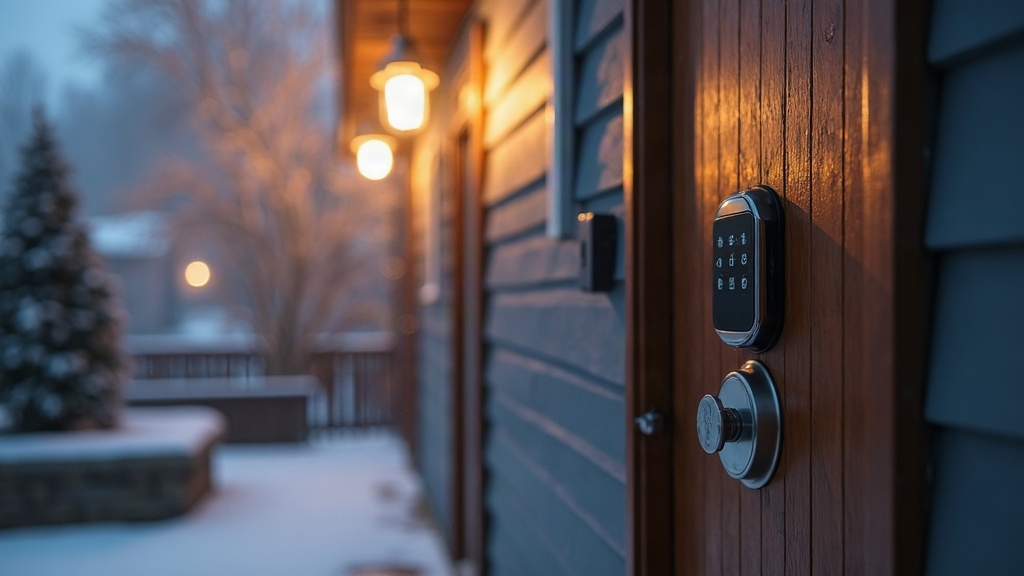
Why Freezing Rain Kills Smart Lock Batteries on Detached Buildings (and How to Stop It)
Freezing rain does something particularly nasty to smart locks mounted on detached entryways: garages, pool houses, workshops, guest cottages. These structures don’t get the thermal buffering an attached home enjoys, so when you combine sub-freezing temps, moisture creeping into the mechanism, and a motor that keeps cycling against an ice-jammed bolt, you can watch a battery that should last months die in a matter of days. Let’s break down why this happens and what actually fixes it.
Why Freezing Rain Is Worse Than Regular Cold
Cold alone is annoying for a battery. Cold plus moisture is a different problem entirely. Freezing rain builds a thin shell of ice over the strike plate, the bolt, sometimes the whole lock body. That ice creates three separate drains on your battery, and they stack:
- Increased motor load: The motor has to shove harder to retract or extend a bolt that’s half-frozen in its channel. That one extra push per cycle eats far more current than a clean, unobstructed lock or unlock.
- Repeated retry cycles: Most smart locks are programmed to retry a failed attempt two or three times automatically. On an iced-up bolt, the first attempt almost always fails, so you’re not draining the battery once per lock event, you’re draining it three times.
- Battery chemistry slowdown: Alkaline cells lose a meaningful chunk of their usable capacity once temps drop below 32°F (0°C). Lithium holds up better, but even lithium batteries see their voltage output sag under sustained freezing conditions.
Detached buildings make all of this worse simply because they’re rarely insulated, and the lock face takes wind-driven rain head-on, something a covered front porch would normally block.
Signs Your Lock Is Struggling (Before It Dies)
- Low-battery alerts showing up weeks ahead of schedule
- An audible “straining” sound from the motor during lock or unlock
- A noticeable lag between the app command and the bolt actually moving
- App disconnections that come and go, usually a side effect of voltage sag
Fixes That Actually Work
1. Switch to Lithium Batteries Immediately
Still running alkaline? Swap them out for lithium, often labeled “cold-weather” or “extreme temperature” on the pack. Lithium cells keep their voltage far steadier down to around -20°F (-29°C), and they don’t suffer the same capacity cliff that alkaline batteries hit during a freezing rain event.
2. Install a Weatherproof Lock Cover
A basic silicone or hard-shell cover, the kind sold for keypad deadbolts, keeps rain off the keypad and bolt mechanism directly. That alone stops the ice-shell problem that’s forcing all those retry cycles in the first place. One caveat: buy a cover rated for your specific lock model. Generic ones can muffle Bluetooth or Z-Wave signal strength enough to cause its own headaches.
3. Apply Silicone Lubricant to the Strike Plate and Bolt
Before a freezing rain forecast hits, run a dry silicone lubricant (skip anything oil-based, it gums up and gets worse in cold) along the strike plate and bolt path. Less friction means the motor isn’t fighting through ice buildup every time, and that alone can noticeably cut your per-cycle battery draw.
4. Disable Unnecessary Retry Attempts
Dig into your lock’s app settings. Many let you drop the auto-retry count from three down to one. It costs nothing and it’s one of the most effective levers you have: since most of the drain during an ice event comes from failed retries rather than successful locks, cutting retries can reduce battery loss by up to 60%.
5. Add a Small Heat Source for Severe Climates
If you’re in a region that gets hit with ice storms regularly, consider a battery-powered or low-wattage heat tape strip around the door frame, the same kind used on farms and cabins. Keeping the strike plate above freezing removes the ice-shell problem entirely, so there’s nothing left for the motor to fight.
Maintenance Schedule for Freezing Rain Season
| Task | Frequency |
|---|---|
| Check battery % in app | Weekly during ice storm season |
| Apply silicone lubricant | Before first freeze, then monthly |
| Inspect weatherproof cover seal | Monthly |
| Replace batteries preemptively | At 40% charge, not 10% |
Conclusion
Freezing rain isn’t just inconvenient for a smart lock, it actively drains the battery through ice-jammed mechanisms, forced retries, and cold-weakened chemistry all at once. Detached entryways take the brunt of it because there’s no main house sheltering them. Switch to lithium, add a weatherproof cover, keep the bolt path lubricated, and tune down the retry count. Do those four things and your lock will keep working through the worst ice storms without you having to swap batteries every other week.