Vacation Lighting Scenes That Mimic Occupancy in Townhouses
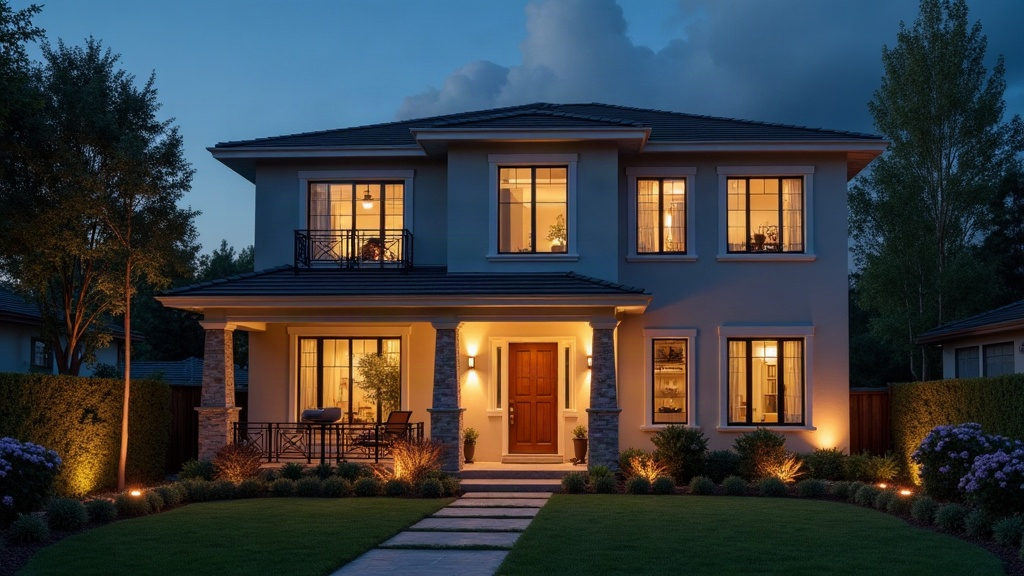
Why Occupancy Simulation Matters for Townhouses
Townhouses have a built-in security problem: shared walls, narrow street-facing facades, and layouts that repeat from unit to unit. Anyone casing the block can “read” a house from the sidewalk in about ten seconds. And a single light on a timer, glowing in the same window every night for two weeks straight, might as well have a sign on it that says “nobody’s home.” The fix isn’t more lights. It’s lighting that moves, dims, and shifts timing the way an actual household does, messy and slightly unpredictable.
This guide walks through how to build those scenes with smart lighting, whether you’re running Philips Hue, Lutron Caséta, SmartThings, or Home Assistant.
Why Timers Alone Fail
A basic plug-in timer flips lights on and off at the exact same minute, every day, forever. Give it three or four nights and the pattern becomes obvious to anyone watching:
- Same room lights up at exactly 7:00 PM, night after night
- No difference between a Tuesday and a Saturday
- Lights never follow any logical path through the house
- Nothing else changes: no blinds, no TV flicker, no exterior lights responding to anything
Real people are inconsistent by nature. They forget to turn things off, they stay up late some nights, they eat dinner at 6 one day and 8 the next. Your automation has to copy that inconsistency, not fight it.
Step 1: Map Your Townhouse’s Visible Zones
Because townhouses are tall and narrow, only a handful of windows are actually visible from outside. Walk around the building and take notes on what can be seen from:
- The front door and sidewalk
- The sightlines from neighboring units
- The rear alley or backyard, if you have one
Start with these zones: the ground-floor living room, the upstairs bedroom window, and any stairwell landing that faces the street. Those three alone cover most of what a passerby notices.
Step 2: Build a “Path of Life” Sequence
Don’t flip every visible light on at once like you’re staging a photo shoot. Instead, sequence them so they tell a story of someone moving through the house:
- 6:00–6:30 PM (randomized): Kitchen light comes on, roughly dinner time
- 7:00–7:45 PM: Living room lamp turns on, kitchen dims or shuts off
- 8:30–9:15 PM: Upstairs bedroom light flicks on briefly, like someone’s getting ready for bed
- 9:45–10:30 PM: Downstairs goes dark, one bedroom light stays lit
- 10:30–11:30 PM (randomized): Final light goes out
Nearly every smart hub lets you set a “random offset,” say plus or minus 30 minutes, on each trigger. This one setting does more for believability than anything else on this list.
Step 3: Vary Brightness and Color Temperature
No household runs the same brightness level every single evening. Build in some range:
- Warm, dim light (2700K, around 30% brightness) for a quiet, “relaxing evening” feel
- Brighter, cooler light (4000K, around 70%) for a more “active” night
- Rotate through 3 or 4 preset scenes at random, day to day
Hue, LIFX, and Lutron all support scheduled scenes with randomization baked into their apps, or through Home Assistant’s random templating if you want more control.
Step 4: Add Secondary Signals
Light by itself only gets you halfway there. Stack a few more layers on top:
- TV simulator devices that throw a flickering blue-white glow into a living room window
- Smart blinds that crack open in the morning and close again at dusk
- Smart plugs running a radio or white-noise speaker on an irregular schedule
- Porch or entry light tied to a dusk-to-dawn sensor instead of a fixed clock time
Step 5: Weekend and Weekday Differentiation
Nobody keeps the exact same schedule Monday through Sunday. Set up two distinct scene profiles:
- Weekday mode: earlier lights-out, matching a normal work schedule
- Weekend mode: later activity, maybe a living room scene that stretches past 11 PM
Most platforms, Home Assistant and SmartThings included, support day-of-week conditions inside automations. Use them. It’s a five-minute setup that pays off.
Step 6: Test From the Street
Before you actually leave town, walk or drive past your own house at a few different times that evening. Look for:
- No single room staying lit for more than 2-3 hours in a row
- A logical flow (nobody goes from the kitchen to the upstairs bedroom in two minutes flat)
- At least one exterior light that reacts to motion, not one that just sits on all night
Common Mistakes to Avoid
- Forgetting mail and packages, no lighting scene in the world fixes a stack of deliveries piling up at the front door
- Over-scheduling everything, too many precisely timed events starts to look robotic again; leave some gaps, some silence
- Ignoring daylight saving time, base triggers on sunset, not a fixed clock hour, or you’ll end up with lights coming on in broad daylight come November
- Relying on one light source, a single lamp on a timer is the oldest trick in the book, and experienced burglars spot it immediately
Conclusion
A convincing vacation lighting scene for a townhouse comes down to variation, sequencing, and a few secondary cues, not just a lamp plugged into a $10 timer. Map out what’s actually visible from the street, build a path-of-life sequence that moves logically through the house, randomize your timing and brightness, and layer in a TV flicker or a set of smart blinds. Put thirty minutes into this before your next trip, and your place will look lived-in the whole time you’re gone, not just lit up.