Fix Wi-Fi Dead Zones Around Metal Garage Doors for Smart Openers
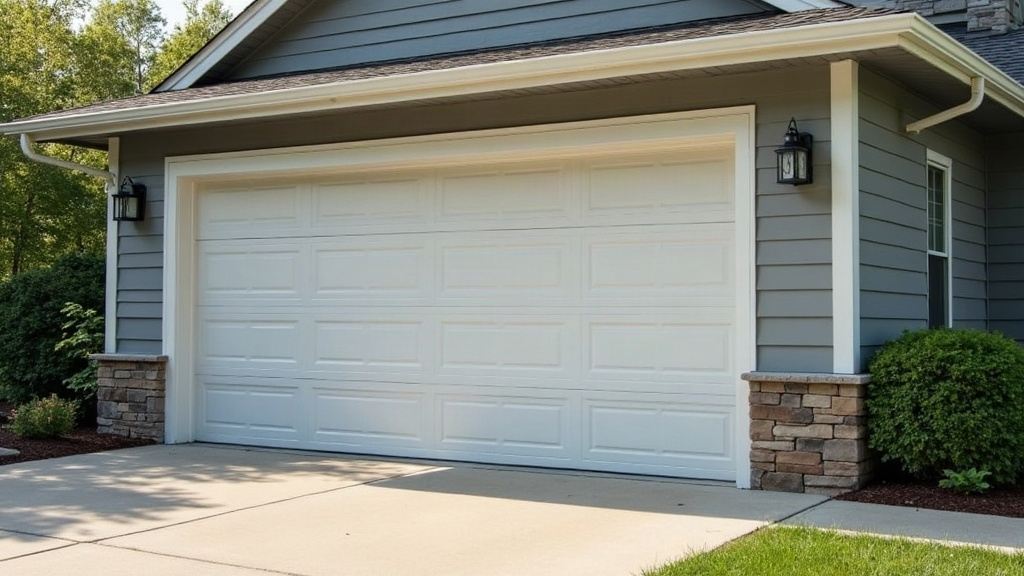
If your smart garage door opener keeps dropping offline, shows “disconnected” in the app, or just ignores your remote commands, odds are good the garage door itself is to blame. Metal doors, along with the steel frames, foil insulation, and reinforced panels that usually come with them, act almost like a Faraday cage. They block or seriously weaken Wi-Fi signals before they ever reach the opener. Here’s why that happens, and more importantly, here’s how to actually fix it.
Why Metal Garage Doors Kill Wi-Fi Signals
Wi-Fi is just radio waves moving through the air, and metal happens to be one of the worst materials for letting radio waves pass. When a router’s signal hits a metal garage door, a few things go wrong at once:
- Reflection: Metal doesn’t let signals through, it bounces them. That scatters the Wi-Fi and weakens whatever’s left by the time it reaches the opener.
- Absorption: Steel-core insulated doors, which are standard across North America and becoming more common in Europe too, soak up radio frequency energy and convert it into trace amounts of heat instead of passing it along.
- Faraday cage effect: A garage fully boxed in by metal, door, frame, and foil-backed insulation included, can function like a shielded enclosure. Think of why your phone loses bars the second the elevator doors shut. Same idea.
- Distance and obstruction stacking: Garages tend to sit at the far edge of the house, so the signal is already fighting through several walls and a good stretch of distance before it even meets the door.
That’s the real reason your opener might behave normally with the door open, then drop the connection the instant it closes. The “offline” alerts lining up with door position isn’t a coincidence.
How to Confirm It’s a Dead Zone Problem
Don’t rush out and buy new gear yet. Confirm what’s actually happening first:
- Pull up a Wi-Fi analyzer app (NetSpot, WiFiman, or whatever’s built into your phone) and measure signal strength (RSSI) right next to the opener, once with the door open and once closed.
- If it drops below roughly -75 dBm when the door shuts, that’s a strong sign the metal panel is the culprit.
- Watch whether the opener reconnects on its own the moment the door opens again. If it does, you’re dealing with a physical signal blockage, not some glitch in the app or router.
Fixes That Actually Work
1. Reposition Your Router or Add a Mesh Node
Often the cheapest fix is simply line-of-sight. Move the router, or drop in a mesh satellite, so the signal doesn’t have to punch straight through the door. Angling it toward a side wall or a window instead of the metal panel can make a surprising difference.
2. Install a Wi-Fi Extender Inside the Garage
Mounting a dedicated extender or access point on the garage ceiling, or an interior wall away from the metal door, can boost signal strength noticeably. A few things worth prioritizing:
- Extenders with external antennas for more directional control
- Support for 2.4GHz, since it pushes through obstacles better than 5GHz even though it’s slower
- Weatherproof-rated units if the garage isn’t climate controlled
3. Use a Powerline or MoCA Adapter Instead of Wi-Fi
Got an electrical circuit or coax line running between the house and garage? A powerline or MoCA adapter can hand off a near-wired connection to an access point right next to the opener, sidestepping the whole dead-zone issue entirely.
4. Switch the Opener to 2.4GHz Only
Most smart openers, think Chamberlain myQ, Genie Aladdin Connect, Meross, only talk on 2.4GHz to begin with. Still, check that your router isn’t running a mixed-band SSID that’s muddying the handshake. If it is, set up a separate 2.4GHz-only network name.
5. Add a Dedicated Smart Home Hub Near the Door
Some manufacturers, Ratgdo for MyQ-compatible openers being one example, let you install a local hub right in the garage. It talks to a nearby access point instead of leaning on a weak signal that’s had to travel across the entire house.
6. Check for Insulation Foil Interference
Foil-backed insulation panels on the door can defeat even a strong, nearby router. When that’s the case, the fix isn’t pushing harder from outside, it’s mounting the extender or access point inside the garage itself. That’s usually the only setup that holds up long-term.
Quick Troubleshooting Checklist
- ✅ Test signal strength with door open vs. closed
- ✅ Reposition router/mesh node for better line-of-sight
- ✅ Add an in-garage extender or access point
- ✅ Consider powerline/MoCA for a wired backbone
- ✅ Confirm opener is using 2.4GHz band
- ✅ Rule out foil-backed insulation as the real blocker
Conclusion
A metal garage door isn’t some minor annoyance for your Wi-Fi, it’s a real physical barrier. It reflects and absorbs radio waves in ways drywall or a wood panel simply won’t. The upside: once a quick signal test pinpoints the dead zone, the fix is usually pretty direct. Reposition the router, drop an extender inside the garage, or run a wired backbone like powerline or MoCA to a nearby access point. Get that sorted, and the opener stays connected whether the door’s up or down.