Local-Only Voice Control With Home Assistant and Whisper
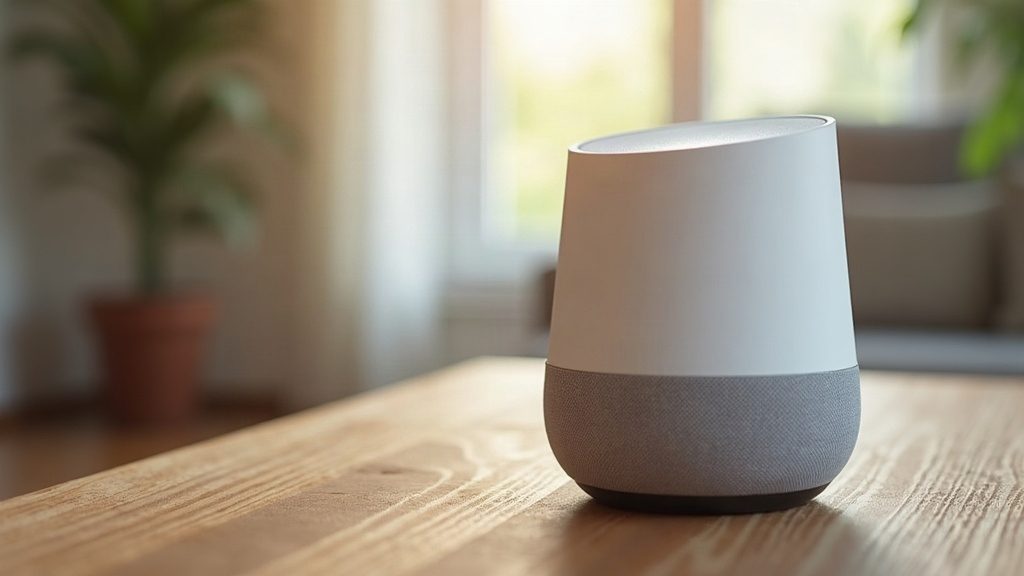
Ever shouted at your smart speaker only to get a frustrating “Sorry, I’m having trouble connecting to the internet” response? Setting up local-only voice control with Home Assistant and Whisper fixes that completely. By pairing the Home Assistant Assist pipeline with the open-source Whisper speech-to-text engine via the Wyoming protocol, you get a fully offline assistant. You can control your kitchen lights, adjust the hallway thermostat, or lock the front door without routing a single syllable through Amazon or Google servers.
Why Go Local-Only for Voice Control
Cloud-based assistants might be incredibly convenient, but you pay a steep price for that luxury.
- Privacy: Every time you ask to dim the lights, that audio file gets uploaded, processed, and potentially stored on a corporate server in a data center hundreds of miles away.
- Reliability: We all know the frustration of an internet outage breaking basic home functions. Cloud assistants turn into expensive paperweights the second your Wi-Fi drops.
- Latency: Sending audio packets to a remote server and waiting for a response naturally introduces a delay. Sometimes it takes two or three seconds just to trigger a smart plug.
- Vendor lock-in: Cloud ecosystems push you toward their specific hardware and subtle subscription traps.
Running Whisper on your own hardware eliminates every one of these headaches. Your voice stays inside your house. Commands execute instantly even if your fiber line gets cut, and with the right hardware, local processing can actually beat cloud latency times.
What You Need
Building a local voice pipeline in Home Assistant requires three distinct moving parts.
- Wake word detection: This tells the system to start listening. You will run openWakeWord or micro-wake-word on a dedicated satellite device, like an ESP32-S3-BOX or a spare Raspberry Pi hooked up to a USB microphone.
- Speech-to-text (STT): This is where Whisper comes in. It translates your spoken words into text via a Wyoming protocol add-on.
- Text-to-speech (TTS): Piper handles the replies. It is a highly efficient local neural TTS engine that actually sounds like a human rather than a 1990s GPS unit.
Hardware matters heavily here. You can technically run Home Assistant OS on a standard Raspberry Pi 4 or 5. However, upgrading to an Intel N100 mini PC or a rig with a dedicated NVIDIA GPU will process Whisper transcripts much faster. For your listening satellites, ESPHome-based gadgets like the M5Stack Atom Echo or a Raspberry Pi Zero 2 W with a basic speaker work perfectly.
Step-by-Step Setup
1. Install the Whisper Add-on
Open your Home Assistant dashboard and navigate to Settings > Add-ons > Add-on Store. Search for “Whisper” and install the official Wyoming Faster-Whisper add-on. You need to choose a model size based on your machine’s processing muscle.
tinyorbase: These fly on a Raspberry Pi, but they might occasionally mishear you if there is heavy background noise.smallormedium: Highly accurate. Just be prepared to back them up with a strong CPU or a dedicated GPU.
Start the add-on and write down the port number it exposes (it usually defaults to 10300).
2. Install Piper for Text-to-Speech
Head back to the add-on store and grab the Piper integration. You will need to select a specific voice model in your language. Piper includes dozens of surprisingly natural voices categorized by quality tiers (low, medium, and high). Pick the medium tier. It hits the perfect sweet spot, giving you rapid responses without sounding mechanical.
3. Configure the Assist Pipeline
Go to Settings > Voice Assistants > Add Assistant to create your new pipeline. You will be prompted to map out the logic flow.
- Conversation agent: Select the built-in Home Assistant conversation engine. You can also hook up a local LLM if you want more dynamic, chatty responses, though that demands serious computing power.
- Speech-to-text: Point this to your new Whisper add-on.
- Text-to-speech: Select your Piper add-on.
- Wake word: Choose openWakeWord if you are using a remote satellite device in another room.
4. Set Up a Voice Satellite
Now you need something to actually listen to you. Flash an ESPHome voice satellite (or grab the official Home Assistant Voice Preview Edition device) and link it to your Assist pipeline using the Wyoming protocol. The beauty of this setup is that the satellite processes the wake word locally. It only streams audio data back to your Whisper server after you actually say the magic word, keeping idle network traffic at absolute zero.
5. Test and Tune
Stand in front of your satellite and test the waters. Say your wake word (the default is usually “Okay Nabu”) followed by a specific command like “turn on the kitchen island lights.” Open the Assist debug logs under Settings > Voice Assistants to check the exact transcription accuracy and processing time. If the system misinterprets you, you have a few ways to fix it.
- Upgrade to a larger Whisper model if your hardware allows it.
- Move the microphone. Tucking it behind a loud television or in an echoey bathroom corner degrades audio quality fast.
- Add custom sentence aliases in your
configuration.yamlfile so Home Assistant knows your weird, household-specific nicknames for devices.
Common Issues and Fixes
- Slow responses: If you are running Whisper’s
tinyorbasemodels on older hardware, expect some lag. The easiest fix is upgrading to a GPU-enabled mini PC or lowering the audio sample rate in the settings. - Misheard commands: Ambiguous names confuse the system. Rename “lamp 2” to something highly specific like “couch reading lamp” to dramatically improve strike rates.
- No response at all: This is almost always a firewall issue blocking the Wyoming ports. Double-check that your add-ons actually say “Started” inside the Home Assistant Supervisor tab.
Final Thoughts
Ditching the cloud entirely requires rolling up your sleeves. It definitely takes a Saturday afternoon to get the Wyoming protocol, Whisper, and Piper talking to each other perfectly. But once you do, the results speak for themselves. You get the snappy responsiveness of a modern voice assistant, zero privacy anxiety, and a smart home that actually answers to you even when your internet service provider drops the ball.